TrueLayer Open Banking connection. Authorise once. Every purchase, transfer, and deposit
flows in automatically.
No exports. No copy-paste.
Transactions appear directly inside your Google Sheets sidebar or Excel task pane. Your
data lives where you work.
AI that knows your spending.
AI reads every transaction and assigns intelligent categories. Groceries, travel,
subscriptions — sorted.
Syncs while you sleep.
Daily automatic sync keeps your sheet current. Or hit the button whenever you want a
fresh view.
Bank-grade security.
Read-only access via regulated Open Banking. We never see your login credentials. Your
money stays untouched.
Works where you already are.
Google Sheets add-on. Microsoft Excel add-in. All sign-up, connection, and settings live
inside the sidebar panel.
Product walkthrough
From zero to synced in under a minute.
Step 01
Connect your bank in seconds
TrueLayer Open Banking handles the authorisation — one brief popup, bank credentials never
leave your hands. Regulated by the FCA and read-only by design.
Step 02
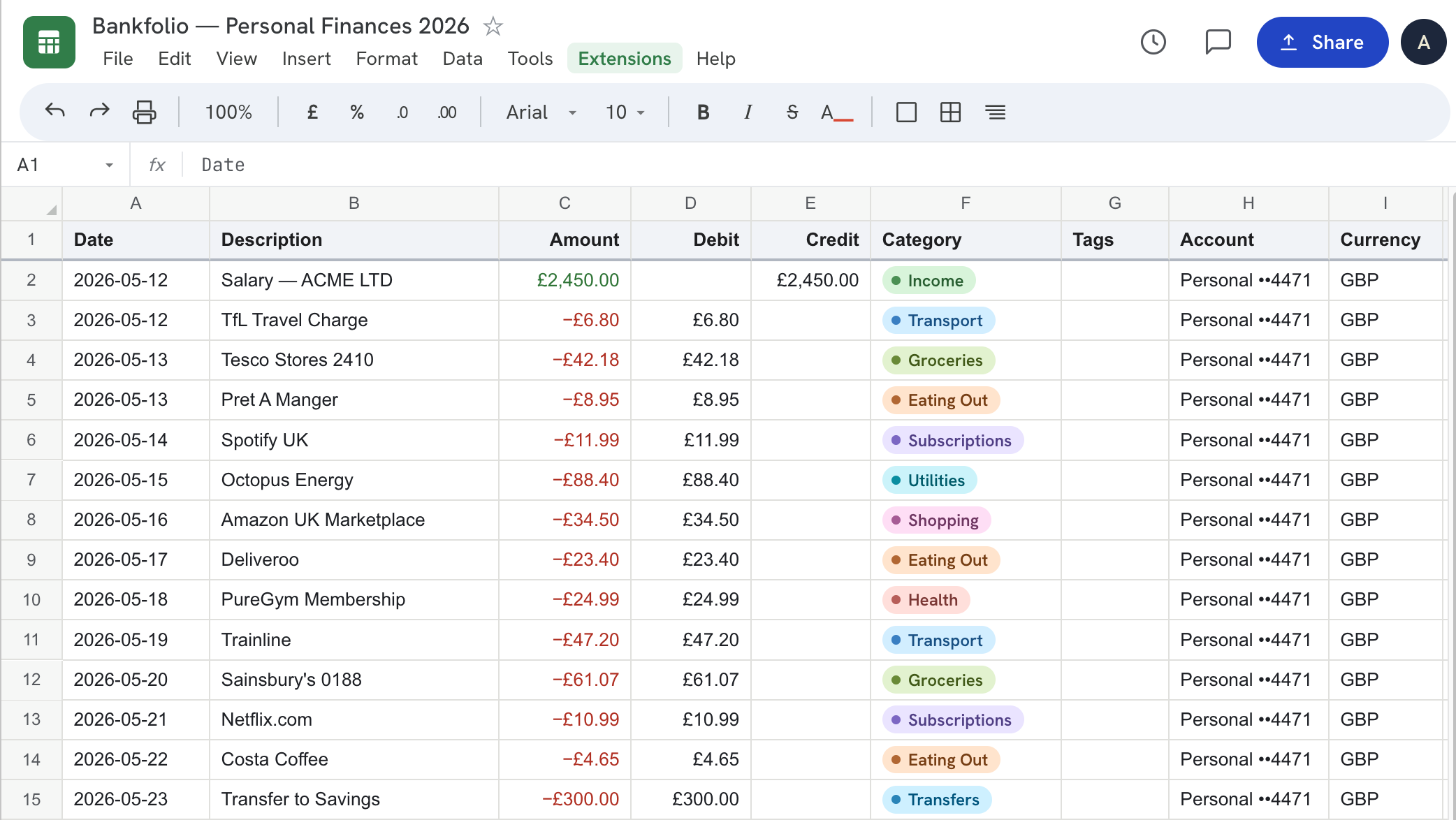
Transactions land automatically
The moment you authorise, your transaction history flows into the spreadsheet — date,
merchant, amount, and an AI-assigned category for every single row.
Step 03
Your finances, beautifully organised
See income, spending by category, and running balance at a glance — all inside the sidebar.
No separate app, no new browser tab, no switching context.
Step 04
Always current, on demand
Daily automatic sync runs overnight. Hit Sync Now for an instant refresh — AI reads and
categorises every new transaction in seconds.
Bankfolio
Connect your bank
One secure link via Open Banking. Bankfolio reads your transactions — it can never
move money.
Read-only access. We never see your login.
Bank-grade security, regulated by the FCA.
Syncs automatically every day.
Secured by TrueLayer
You're connected.
24 transactions just landed in your sheet —
auto-categorised by AI.